Using exchange on Android
Aus JHML Knowledge Base
To connect your account to your Android phone, you need to follow these steps:
- Go to the settings and open the "Accounts" setting. If you don't use a stock Android, please try to find a similar setting.
- Search for "Accounts" and tap on it.
- Tap on "Add Account"
- Select "Exchange"
- Enter your email address
- Enter your password
- finished
Here are the screenshots from a stock android:
- Screenshots about how to add an email account via exchange protocol
-
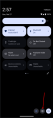 Pull down from the upper part of your screen and tap on the settings icon.
 -
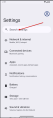 Tap on the search and search for "Account"
 -
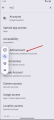 Tap on "Add Account" to open the account settings.
 -
 Tap on "Add Account"
 -
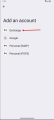 Select/Tap "Exchange"
 -
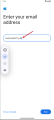 Enter your email address
 -
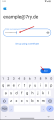 Enter your password
 -
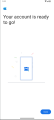 Setup complete :-)